

Why change the deck of a Dualtron Thunder?
The deck is the platform on which the rider places their feet. On a powerful scooter like the Dualtron Thunder, this part plays an essential role.
The most common reasons for replacing a deck are:
-
to replace a scratched or damaged deck
-
to install a custom deck
-
to improve the scooter's style
-
to replace the grip.
Many riders today choose custom decks to make their scooter unique.
Necessary Equipment
Before you begin, it's important to prepare the necessary tools.
You will generally need:
-
Allen keys
-
screwdrivers
-
open-end wrench
-
cloth
-
possibly some threadlocker.
Depending on the models and screws used, tool sizes may vary.
Step 1: Turn off the scooter
Before any mechanical intervention, it is important to completely cut off the scooter's power supply.
This prevents any electrical risk when handling internal cables.
If possible:
-
turn off the scooter
-
disconnect the battery if accessible.
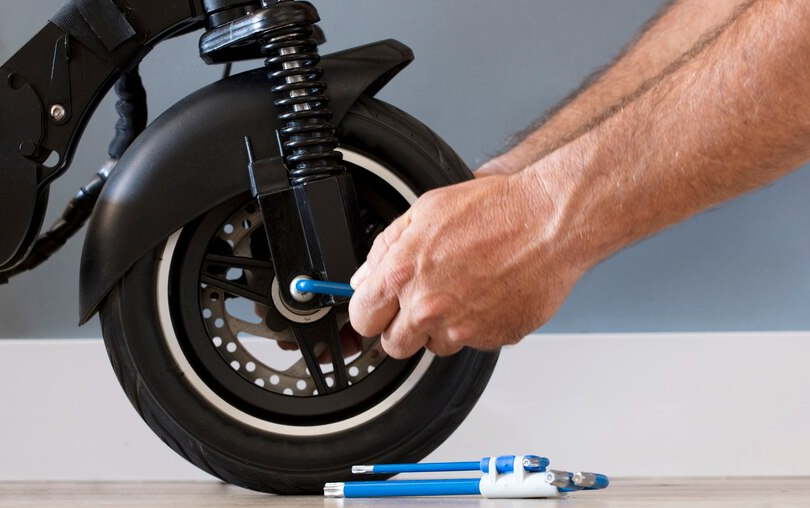
Step 2: Remove the deck screws
The Dualtron Thunder's deck is held in place by several screws located on the top part.
Procedure
-
locate all deck screws
-
use the appropriate Allen key
-
unscrew gradually.
It is advisable to remove the screws in a cross pattern, like on a wheel, to avoid tension on the structure.
Step 3: Lift the deck
Once all screws are removed, it is possible to gently lift the deck.
Caution: under the deck are usually found:
-
electrical cables
-
the controller
-
the battery.
Therefore, proceed slowly and without pulling on the wires.
Step 4: Remove the old deck
Once the deck is open, you can:
-
remove the grip
-
completely remove the deck plate.
If you are installing a new deck, you typically just need to place the new plate in the same location.
Step 5: Install the new deck
Position the new deck correctly on the frame.
Check that:
-
the holes align
-
no cables are pinched
-
the deck lies flat.
This step is important to avoid any problems during reassembly.
Step 6: Re-screw the deck
Replace all screws and tighten gradually.
It is advisable to:
-
tighten in a cross pattern
-
not overtighten immediately.
Gradual tightening helps prevent stress on the structure.

Step 7: Check the installation
Once the deck is reassembled, it is important to check several points.
Checks
-
all screws are tightened
-
no cables are pinched
-
the deck is stable.
After that, you can turn the scooter back on and perform a short test at low speed.
Customizing your Dualtron Thunder
Changing the deck is often the first step in customization.
Riders often modify:
-
the suspensions
-
the LED lighting
-
the tires
-
the deck.
Custom decks allow you to add a unique and durable design directly to the scooter.
Conclusion
Changing the deck of a Dualtron Thunder is an accessible operation if the correct steps are followed:
-
turn off the scooter
-
remove the deck screws
-
lift the plate
-
install the new deck
-
screw back correctly.
With a bit of method and the right tools, this modification can be carried out easily and allows you to transform the appearance of the scooter while maintaining its performance.


